Building a Lattice
In this section we briefly explain how to build a lattice using LCC. The finite set of points obtained in this ways has the shape that is bound by crystal faces which are paralell to the “canonical Miller planes” (100), (010), and (001) We will first execute lcc without any input file to create a sample input. Syntax follows:
./lcc_main
This will generate a sample input file called sample_input.in. You can
either edit this file or make a new one having the following:
#Lcc input file.
LCC{
 JobName=                 AgBulk        #Or any other name
 ClusterType=             Bulk
 TypeOfLattice=           FCC
 LatticePoints=           8             #Number of total lattice points in one direction
 LatticeConstanta=        4.08
 AtomType=                Ag
}
In order to run the code, just type:
./lcc_main sample_input.in
The run will produce two coordinate files *_coords.xyz
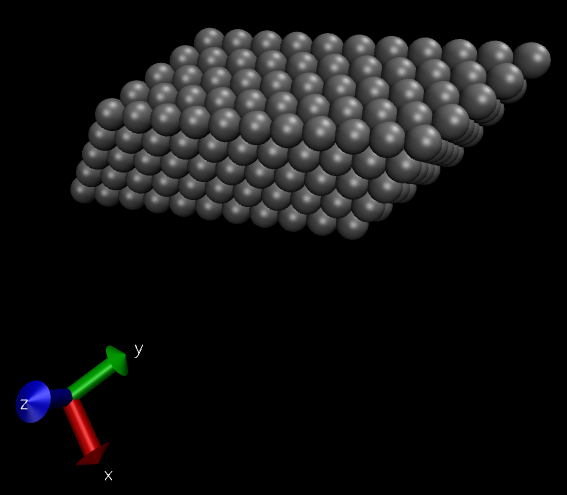
and *_coords.pdb. If we visualize this with VMD we get the following
“piece of bulk” for Silver
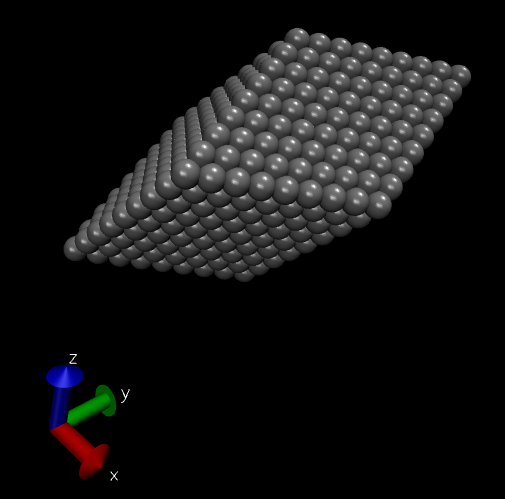
We can recover the same lattice by entering the Angles and edges of the unit cell as follows:
#Lcc input file.
LCC{
 JobName=                 AgBulk        #Or any other name
 ClusterType=             Bulk
 TypeOfLattice=           Triclinic
 LatticePoints=           8             #Number of total lattice points in each direction
 AtomType=                Ag
 PrimitiveFormat=         Angles        #Will use angles and edges
 LatticeConstanta=        2.885
 LatticeConstantb=        4.08
 LatticeConstantc=        2.885
 LatticeAngleAlpha=       45
 LatticeAngleBeta=        45
 LatticeAngleGamma=       60
}
Yet another way of constructing an fcc lattice is by providing the lattice vectors directly which can be done by doing:
#Lcc input file.
LCC{
 JobName=                 AgBulk        #Or any other name
 ClusterType=             Bulk
 TypeOfLattice=           Triclinic
 LatticePoints=           8             #Number of total lattice points in each direction
 AtomType=                Ag
 PrimitiveFormat=         Vectors       #Will use primitive vectors
 LatticeVectors[
        2.885 2.885 0.000
        0.000 4.080 0.000
        0.000 2.885 2.885
        ]
}
If we want a bulk with a particular number of lattice points on each direction we can use the following input parameters:
#Lcc input file.
LCC{
 JobName=                 AgBulk        #Or any other name
 ClusterType=             Bulk
 TypeOfLattice=           Triclinic
 LatticePointsX1=        -2             #Number of point in the direction of the first Lattice Vector
 LatticePointsX2=         8
 LatticePointsY1=        -2
 LatticePointsY2=         2
 LatticePointsZ1=        -2
 LatticePointsZ2=         2
 AtomType=                Ag
 PrimitiveFormat=         Angles        #Will use angles and edges
 LatticeConstanta=        2.885
 LatticeConstantb=        4.08
 LatticeConstantc=        2.885
 LatticeAngleAlpha=       45
 LatticeAngleBeta=        45
 LatticeAngleGamma=       60
}
The latter will produce a “bulk” enlarged in the direction of the first lattice vector.